


Applies to: BI 4.2, 4.3, BI 2025 · Reading time: 8 min
In short. For a public body, a hospital, a government agency or a company in a regulated industry, the question “where does the data go?” comes before any decision to modernise reporting. On-premise BusinessObjects has a simple answer: it doesn’t move. That is an advantage people forget when they look at more visual tools, and rediscover at security review time. This article does not say you should refuse cloud or AI; it maps the leak points of a modernisation project, and the conditions to add visuals, sharing and natural language to Webi without data leaving the controlled perimeter.
What we are talking about
- Personal data: HR, citizens, patients, taxpayers. GDPR and equivalent regulations require knowing where it is processed, by whom, and on what basis.
- Health data: hosting is regulated (HIPAA, HDS certification in France, and similar frameworks), including for a simple activity dashboard that drills down to the patient.
- Financial and strategic data: budgets, contracts, accounts; sensitive by nature for a public body or a listed company.
- Government data: justice, security, defence, where national doctrine conditions the hosting choice.
The common thread: exposure to a provider under a foreign jurisdiction is a risk to assess, not a theoretical case. Reporting is often the forgotten link in that assessment, because it is seen as “just output” when it actually concentrates the organisation’s most consolidated data.
Where data goes depending on the option
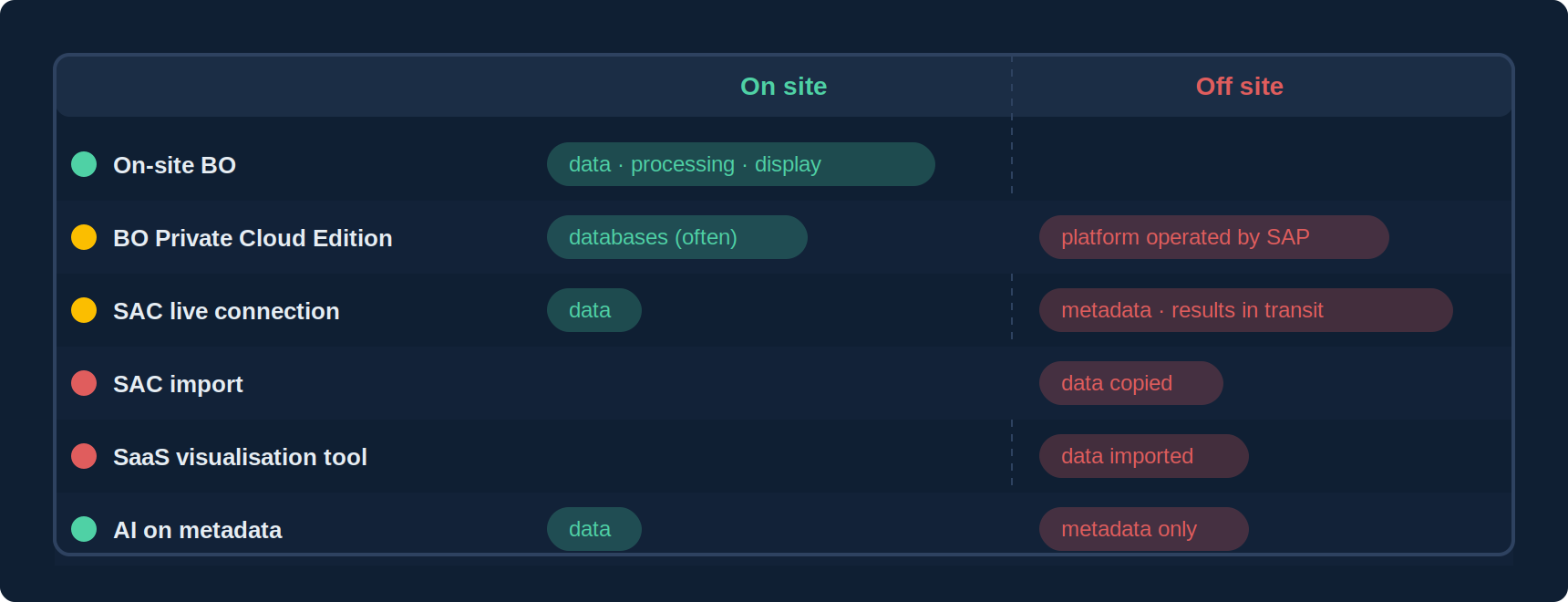
| Option | Where the data is | Who processes it | Exposure |
|---|---|---|---|
| On-site BusinessObjects | On site | The organisation | Nothing leaves |
| BO Private Cloud Edition | Private cloud operated by SAP (databases often left on site) | SAP, under contract | To qualify: region, subcontractors |
| SAP Analytics Cloud, live connection | On site; results transit through the browser | Queries orchestrated by SAC | Metadata and results in transit |
| SAP Analytics Cloud, import | Copied to the SAP cloud | SAP | Data stored off site |
| Third-party SaaS visualisation tool | Imported into the SaaS | The vendor and its subcontractors | Data stored off site, jurisdiction to check |
| AI assistant on metadata | On site; only universe metadata goes to the model | The model provider (chosen) | No data, if the model is chosen well |
What BusinessObjects does well, and people forget
- Data stays in the IT estate: the platform queries on-site databases, computes on site, displays on site.
- Security lives in the universe: row-level restrictions (an agent only sees their department), object-level restrictions (sensitive columns hidden), inherited by every report. It is not rebuilt for every tool.
- Auditing exists: who opened what, when, with which filter, in Auditor. That is what a data protection officer or an auditor asks for.
- Distribution is controlled: per-recipient publications, instances in the repository, folder-level rights. A report does not go “somewhere”, it is delivered to someone.
The leak points of a modernisation
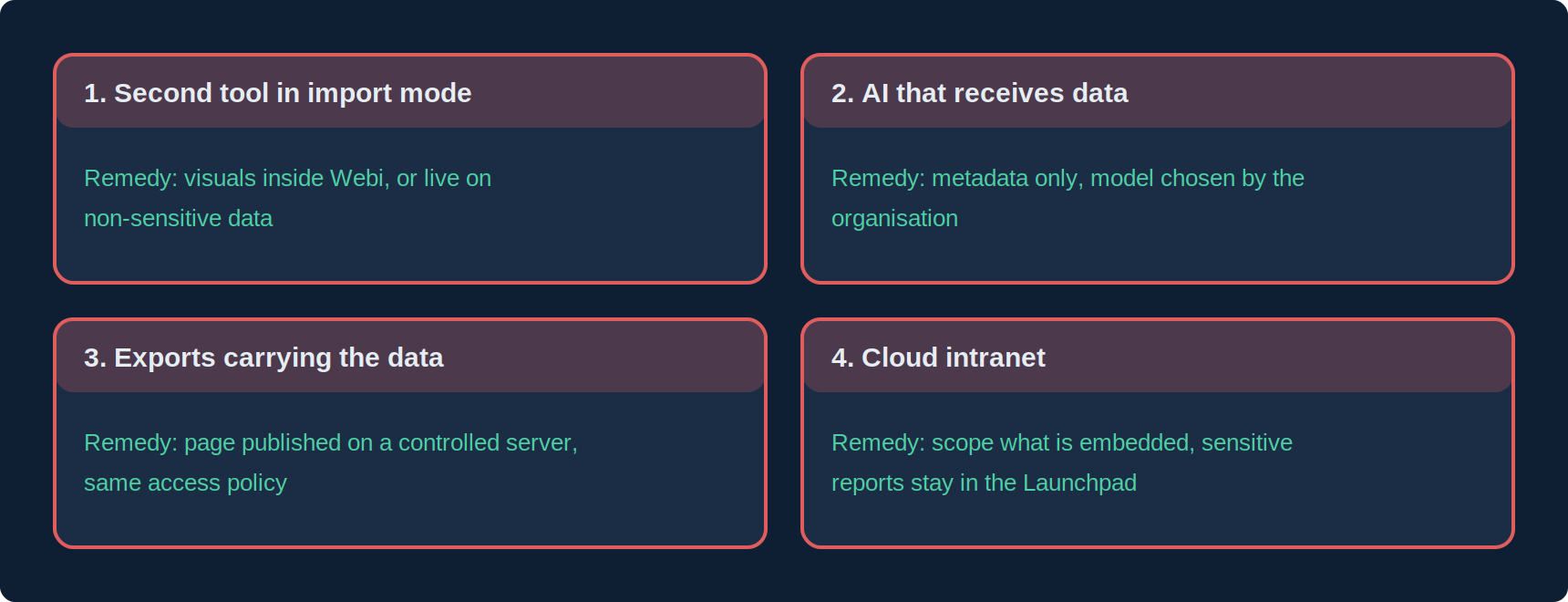
- The second tool in import mode: “just for dashboards”, consolidated data is copied into a SaaS. Remedy: stay on the universes, add visuals inside Webi, or only use a cloud tool with a live connection and on non-sensitive data.
- AI that receives data: pasting a table into a consumer assistant, or a tool that sends query results to a model. Remedy: an AI that only works on universe metadata, and the choice of model (regionally hosted or on site) left to the organisation.
- Exports that carry the data: PDF, Excel, WIDX, standalone HTML. They are legitimate, but a file that contains data is a file to protect as such. Remedy: favour a published page on a controlled server rather than a circulating file, and apply the same access policy as the rest of the intranet.
- The cloud intranet: embedding a report in SharePoint Online or Teams means displaying data in a service hosted by a third party; with OpenDocument only the display transits, but so do authentication and logs. Remedy: scope what gets embedded, and keep sensitive reports in the Launchpad or an internal portal.
Modernising without moving the data: the checklist
- Is reporting data classified (public, internal, sensitive, regulated)? If not, start there.
- For each option considered, is the row in the table above filled in and validated by the CISO / DPO?
- Is row- and object-level security carried by the universes, hence inherited by everything that consumes them?
- Are exports containing data inventoried, and their distribution subject to the same policy as the Launchpad?
- Is the AI model, if any, chosen by the organisation, and does it only receive metadata?
- Does auditing cover the new channels (exports, intranet, AI) and not only the Launchpad?
Frequently asked questions
Is staying on BusinessObjects a conservative choice?
It is a choice that avoids rebuilding elsewhere a security and data-control setup already in place. It only becomes conservative if you do not add the visuals, sharing and natural language business users expect, which can be done today without changing platform.
Is BO’s Private Cloud Edition “on premise”?
It is BO operated by SAP in a private cloud. Location, subcontractors and contractual guarantees must be qualified as for any outsourced hosting; it is neither public SaaS nor on site.
Is a standalone HTML export compatible with sensitive data?
Yes if the page is published on an internal server with access control, no if the file circulates by email. The format does not make the security; the distribution mode does.
Can AI be used on health or justice data?
On universe metadata, yes, with a model hosted in a framework the organisation accepts. On the data itself, only with a model deployed on site or hosting certified for that type of data.
Sources and references
- SAP Community — “SAP Analytics Business Intelligence Statement of Direction, July 2025 update” (on-premise options, Private Cloud Edition, SAC)
- SAP Community — “Journey to Cloud” (live vs import connections, Private Cloud Edition)
- GDPR (EU 2016/679) and equivalent data protection regulations: processing location and subcontracting principles
- Sector frameworks for health data hosting (HIPAA in the US, HDS certification in France)
- Need4Viz field experience with public bodies, healthcare institutions and government departments
Related reading
👉 Discover Need4Viz and what we really bring to SAP Web Intelligence
Need4Viz extends SAP Web Intelligence with advanced dataviz, interactivity, automation and AI capabilities to transform your reports into real decision-making tools.
Discover Need4Viz