


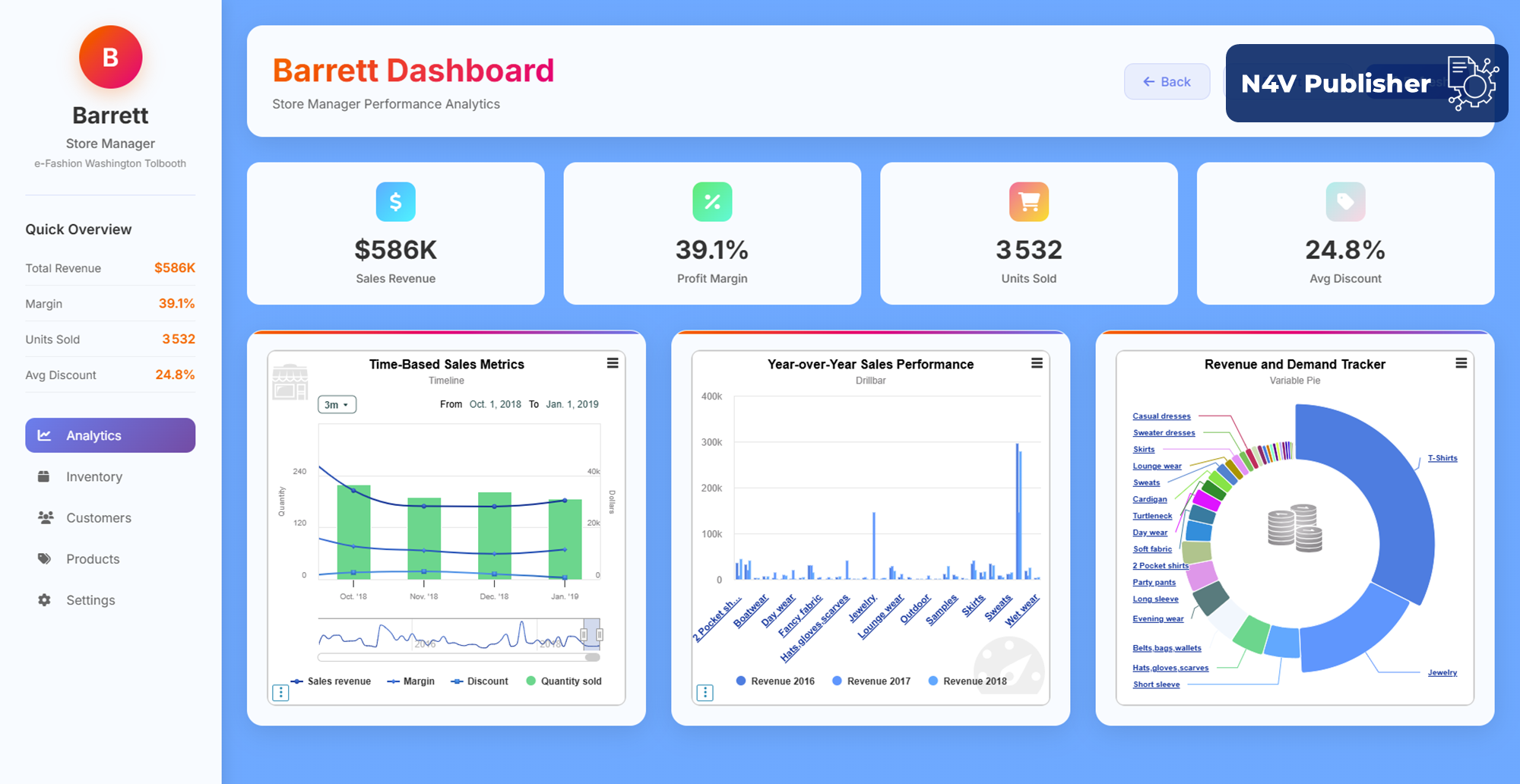
SAP Web Intelligence is one of the most widely deployed reporting tools in enterprise environments. But when business users ask for modern interactive dashboards — with dynamic charts, KPI tiles, drillable maps, and real-time filters — WebI alone hits a wall.
The answer is not to migrate. N4V FOR WEBI is the fastest way to build modern dashboards directly inside SAP BusinessObjects Web Intelligence — without touching your universes, without retraining your teams, and without additional SAP licenses.
Here is exactly how it works.
What WebI Can — and Cannot — Do Natively
Web Intelligence is excellent at what it was designed for: structured reporting against SAP BO universes, scheduled distribution, and formatted document output. Where it falls short is the dashboard layer: there are no native interactive charts, no KPI components, no geographic maps, and no HTML5 export without additional SAP licensing.
For most organizations, this gap has two consequences: business users compare WebI reports unfavorably to Power BI or Tableau, and BI teams face pressure to migrate — a costly, high-risk decision that is rarely justified when the underlying data model is solid.
How N4V FOR WEBI Fills the Gap
N4V FOR WEBI extends SAP Web Intelligence with a full visualization and dashboard layer, installed directly on your existing SAP BO server. No new platform. No data migration. No change to your universes or report logic.
Once installed, your WebI reports gain access to:
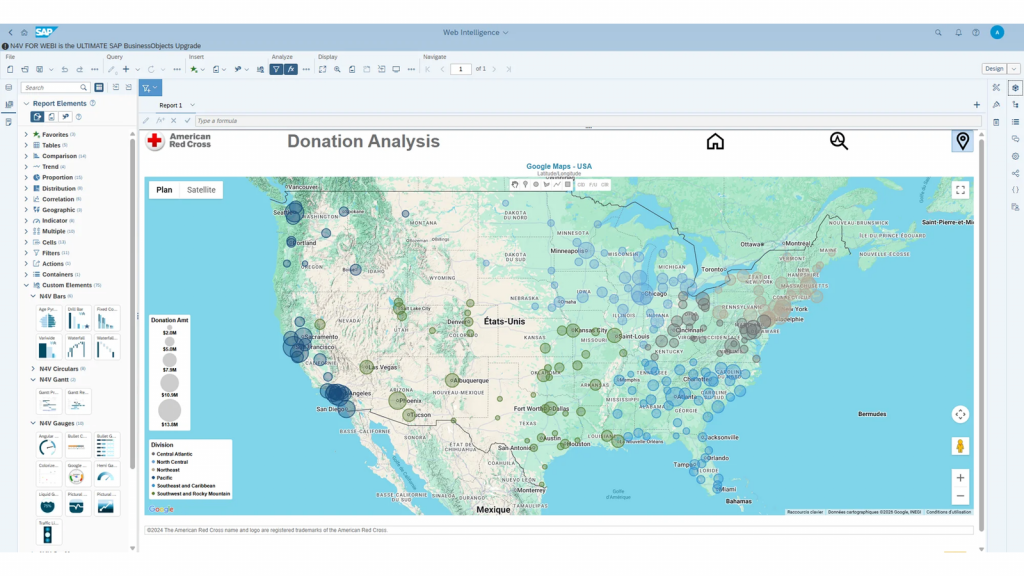
- 60+ interactive chart types — bar, line, bubble, heatmap, Gantt, waterfall, network graphs, and more
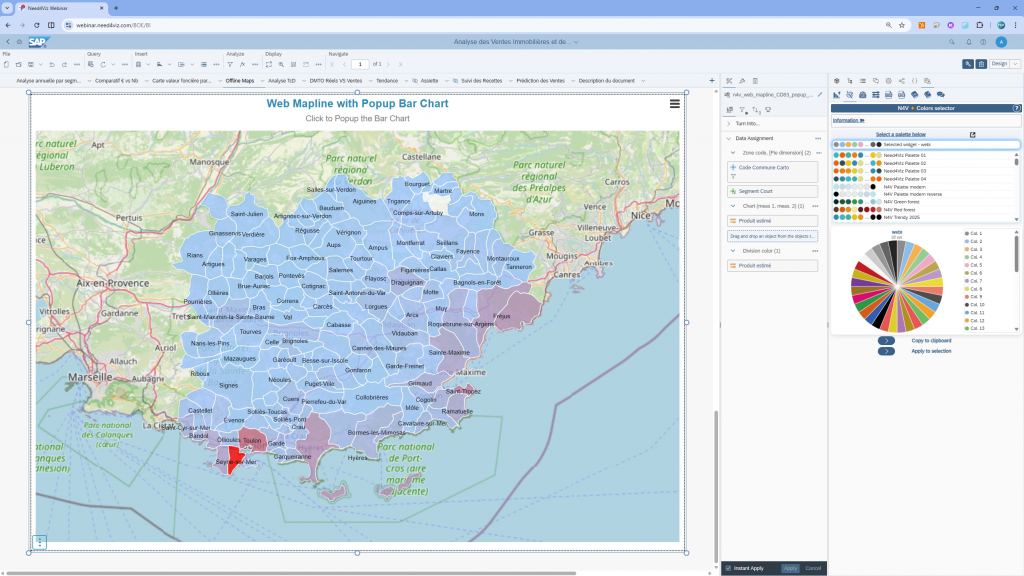
- GIS mapping — drillable geographic layers replacing cross-tab tables for territorial analysis
- HTML5 export via N4V Publisher — distribute dashboards to users without a SAP BO license
- Natural language queries via N4V Intelligence — business users ask data questions in plain English, without knowing the universe
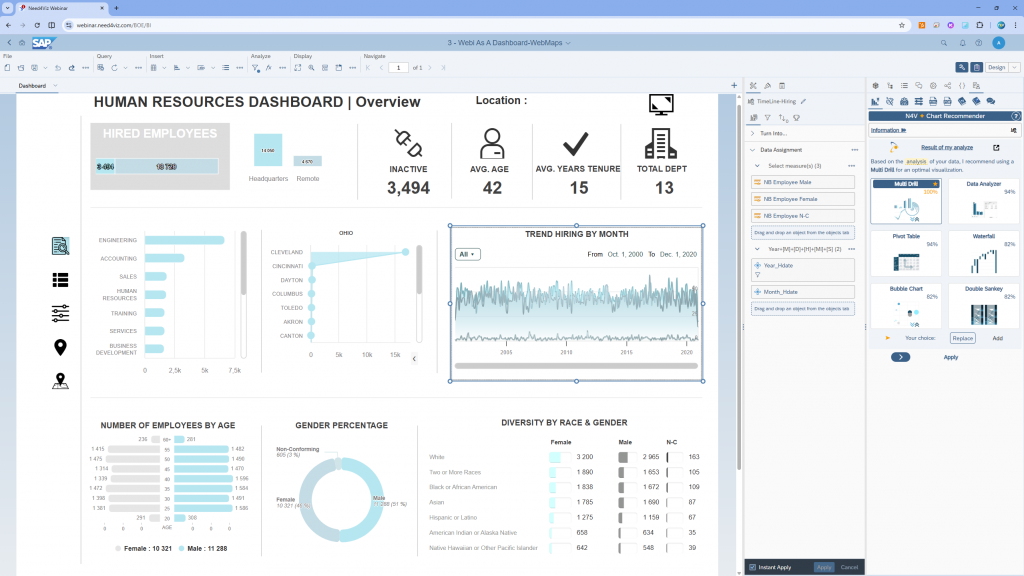
WebI Alone vs. WebI + N4V FOR WEBI
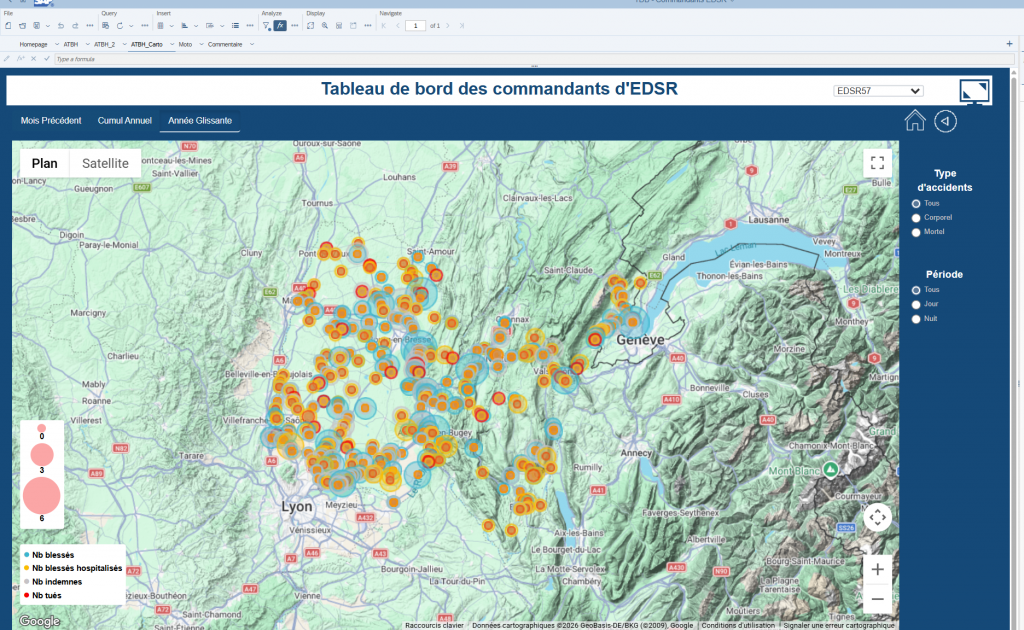
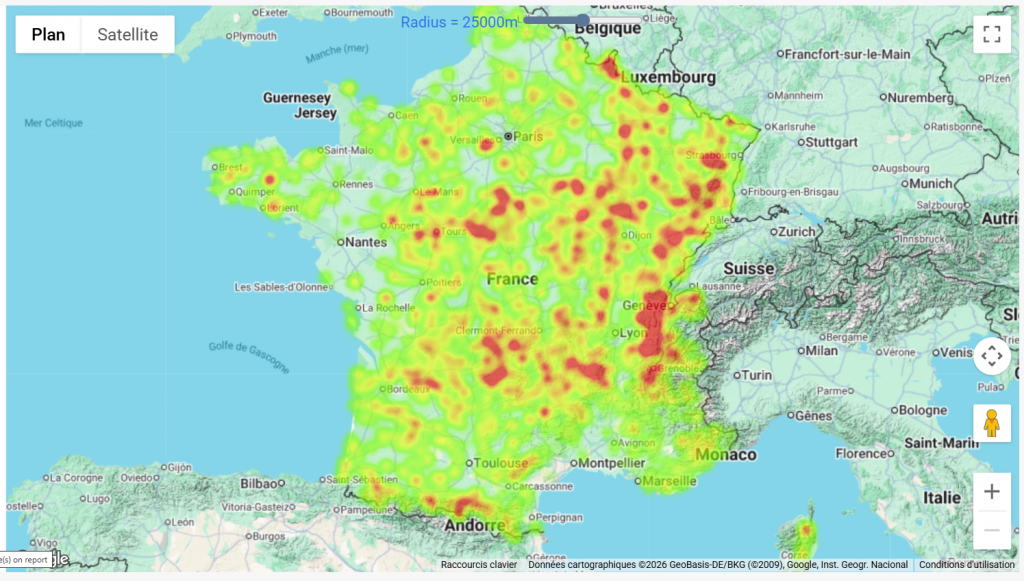
Who Is Already Using It
N4V FOR WEBI is deployed across industries where SAP BusinessObjects is a strategic platform:
- McKesson (healthcare, US) — modernized SAP BO dashboards for supply chain and distribution analytics
- Banque de France (financial sector) — interactive reporting on WebI without platform migration
- Chantiers de l’Atlantique (manufacturing) — project dashboards and KPI monitoring inside WebI
- University of Queensland (education) — self-service BI with natural language queries on SAP BO universes
The Bottom Line
Building modern dashboards in SAP BusinessObjects WebI does not require a migration. It requires the right extension layer.
N4V FOR WEBI transforms Web Intelligence into a modern BI dashboard platform — with the visualization depth of Power BI, the geographic capabilities of dedicated GIS tools, and the distribution reach of HTML5 publishing, all running on your existing SAP BO infrastructure.
Frequently Asked Questions
Can you build modern dashboards directly in SAP BusinessObjects WebI?
Yes — but not with WebI alone. WebI is a powerful reporting engine, but it lacks the visualization layer needed for modern dashboards. With N4V FOR WEBI, organizations extend Web Intelligence with 60+ interactive chart types, KPI components, GIS maps, and HTML5 publishing, all without migrating to a new platform.
What is the difference between a WebI report and a WebI dashboard?
A WebI report is a structured document designed for reading and printing. A WebI dashboard — built with N4V FOR WEBI — is an interactive interface where users click, filter, drill, and explore data in real time. N4V FOR WEBI adds the interactivity layer that turns static WebI reports into live decision-making tools.
Do I need to migrate from SAP BO to build modern dashboards?
No. N4V FOR WEBI is installed directly on your existing SAP BusinessObjects server. Your universes, reports, user permissions, and data connections remain unchanged. Modern dashboards are built by adding N4V components to existing WebI documents — no data model migration, no retraining, no new platform.
How does N4V FOR WEBI compare to SAP Analytics Cloud for dashboards?
SAP Analytics Cloud requires migrating your data models and rebuilding reports on a new platform — a project typically lasting 12 to 24 months. N4V FOR WEBI delivers comparable modern dashboard capabilities inside your existing WebI environment in days, without any migration. For organizations with a stable SAP BO investment, N4V FOR WEBI is the faster and lower-risk path to modern dashboards.
Which industries use N4V FOR WEBI for dashboard modernization?
N4V FOR WEBI is deployed across healthcare (McKesson), finance (Banque de France), manufacturing (Chantiers de l’Atlantique), education (University of Queensland), and public sector organizations. Any organization running SAP BusinessObjects that wants modern dashboards without a platform migration is a candidate for N4V FOR WEBI.
👉 Discover Need4Viz and what we really bring to SAP Web Intelligence
Need4Viz extends SAP Web Intelligence with advanced dataviz, interactivity, automation and AI capabilities to transform your reports into real decision-making tools.
Discover Need4Viz