


New: N4V Panel as Popup Window with Templates
Configure your N4V components even faster, on a second screen, and save your settings as reusable templates
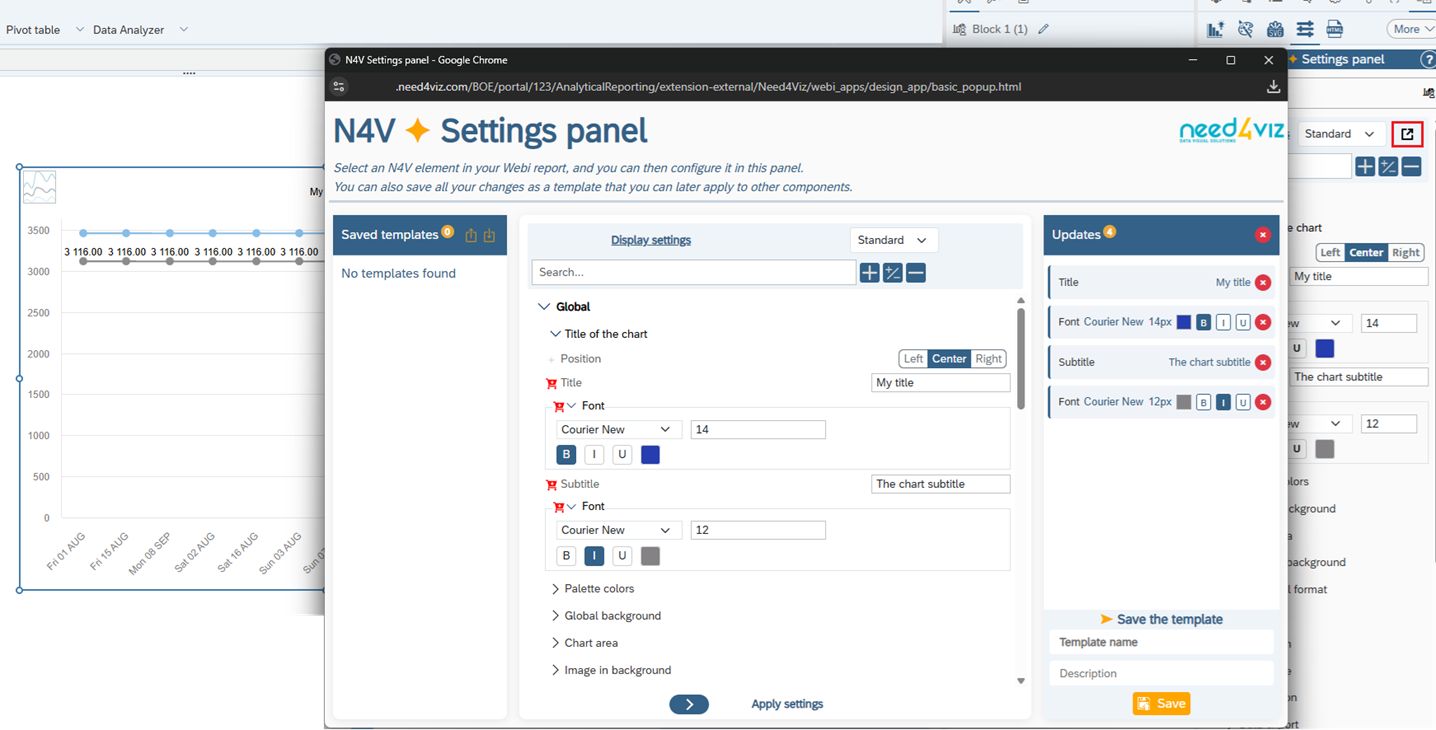
The Settings Panel in the N4V Panel can now be opened in a separate popup window. Like the other N4V popup windows, place it on a second screen and fold all WebI panels to display your dashboard in full screen on your main screen.
New in this popup window: settings templates. You can now:
- Save a set of settings locally to apply it later to one or more other N4V widgets
- Export and import these templates to share them with your colleagues
- Use them across all your SAP BI environments
Widgets as Modal Popup
Create dynamic dashboards with detailed charts displayed as an overlay
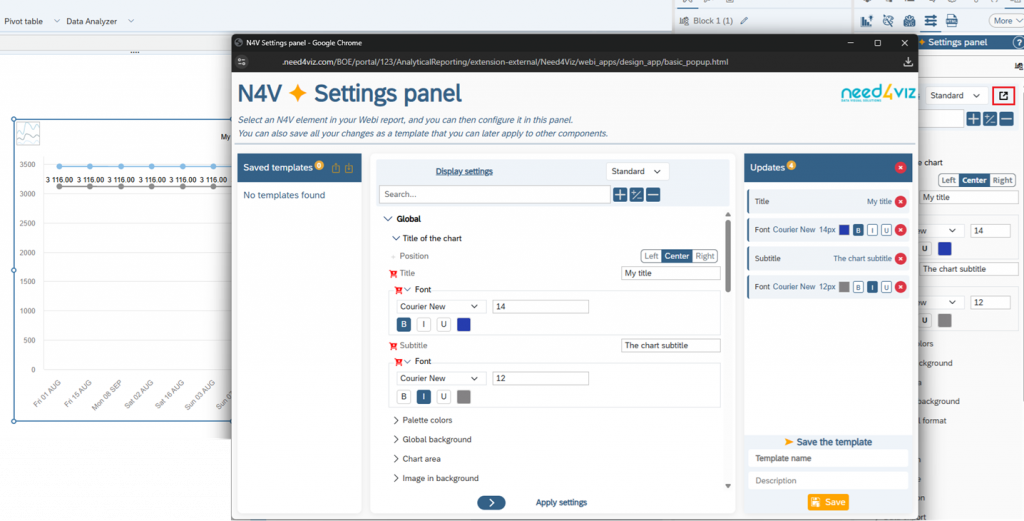
All N4V widgets can now be displayed as a modal popup. Clicking on a first chart will display a detailed chart in a modal window. A button allows closure of the modal and reset of the selection.
You can even create a cascade of modal popups to progressively drill down through your data, from the global view to the finest detail.
Local CSV Export from Widgets
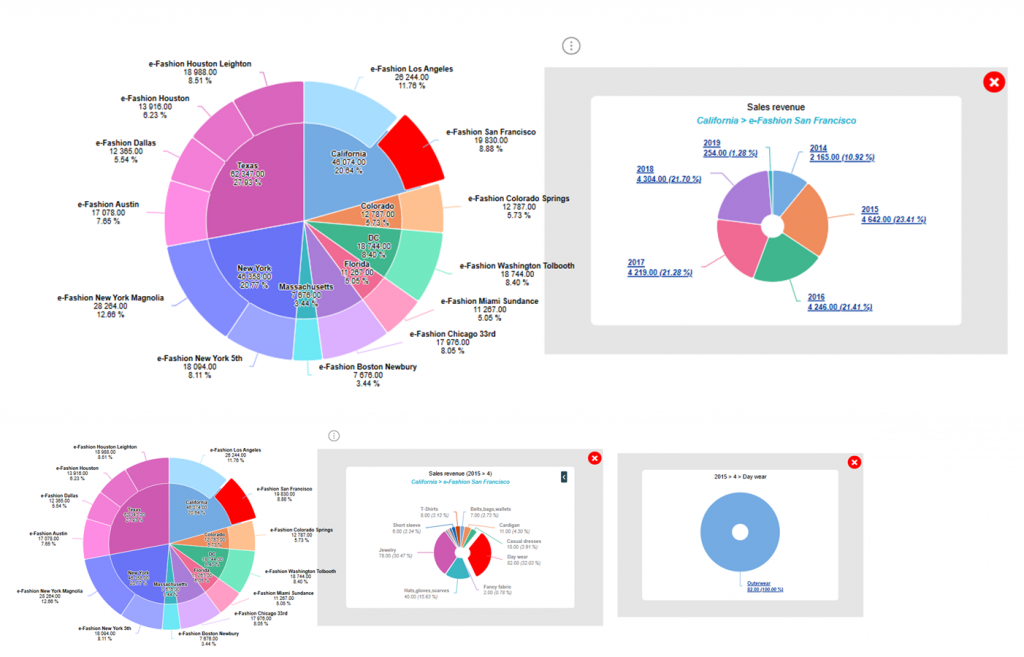
The long-awaited CSV export is now available directly from the N4V menu
The N4V menu has been modernized — new icons, new font, new colors, new display — and gains a highly requested feature: local CSV export.
In one click, generate a CSV file containing the full dataset used in the widget and download it directly to your laptop. An optional popup window lets the user choose their own export format (column separator, text qualifier, numeric format, filename, header inclusion).
New Widget Options
New upgrades for more analytical power
New features are now available in several widgets in this 2026.1 release:
- A new stacked polar chart is now available in the Multi Chart.
- Axes in Drillbar, Fixed Column Placement, Variwide… can be further customized: logarithmic scale, inversion, mirroring, alternating colors, intermediate gridlines, etc.
- The OpenStreet widget now supports bubble display on the map, with configurable labels (place and value).
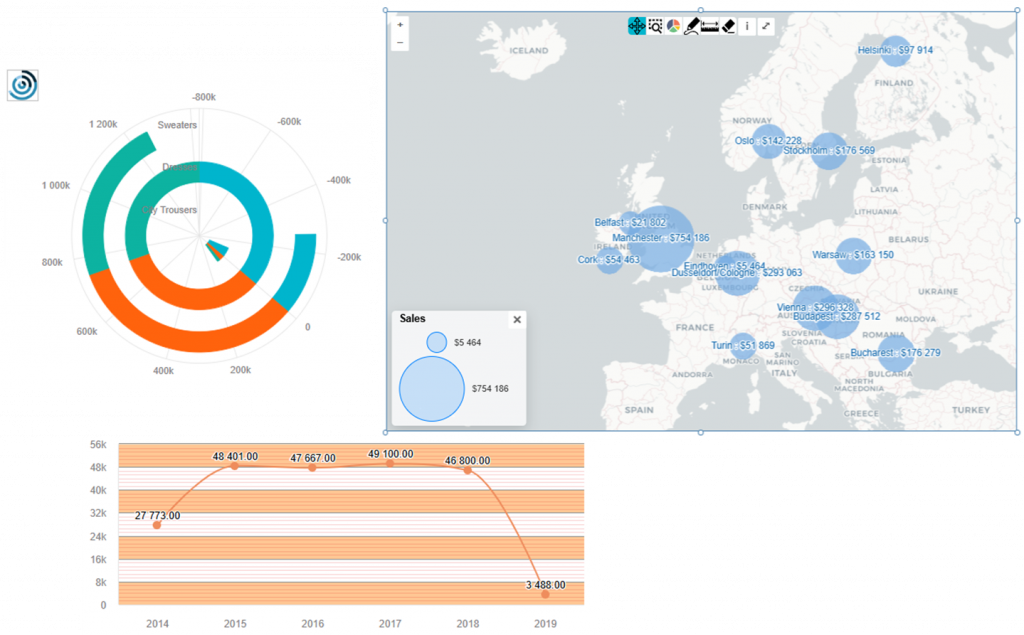
See the Wiki for the Full Report
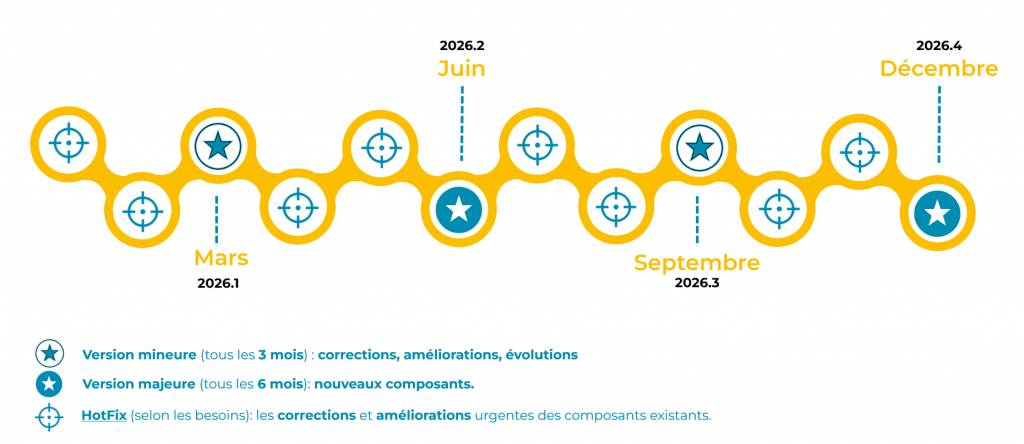
2026 Roadmap: 2 Major Versions
In 2026, Need4Viz maintains its delivery pace with 2 major releases (new components, in June and December) and 2 minor versions (fixes and improvements, in March and September), complemented by HotFixes as needed.
👉 Discover Need4Viz and what we really bring to SAP Web Intelligence
Need4Viz extends SAP Web Intelligence with advanced dataviz, interactivity, automation and AI capabilities to transform your reports into real decision-making tools.
Discover Need4Viz