


Write data from WebI to CSV, user HTML export, enhanced Gantt and Bubble Chart in SAP BusinessObjects.
New N4V Widgets features
As usual, discover many new features in your favorite N4V widgets! More accessibility, better data and chart analysis…
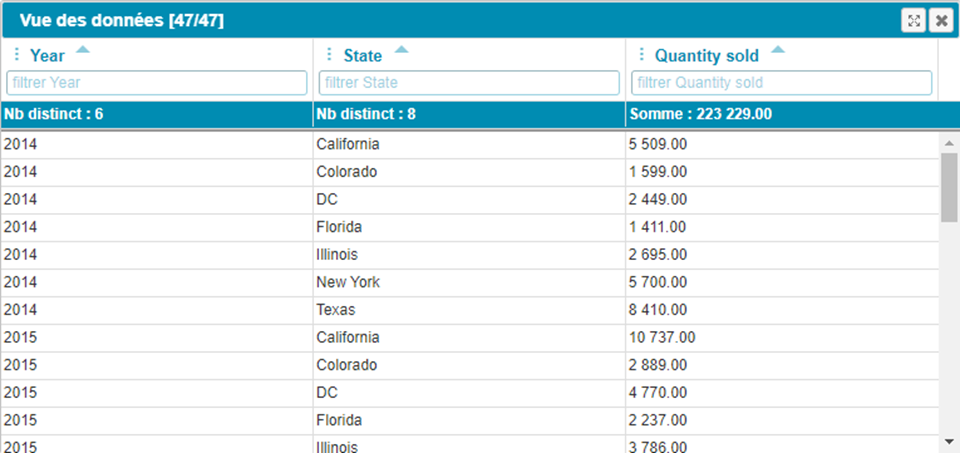
The Data Table can now be displayed in full screen mode.
It has never been so easy to analyze your chart data!
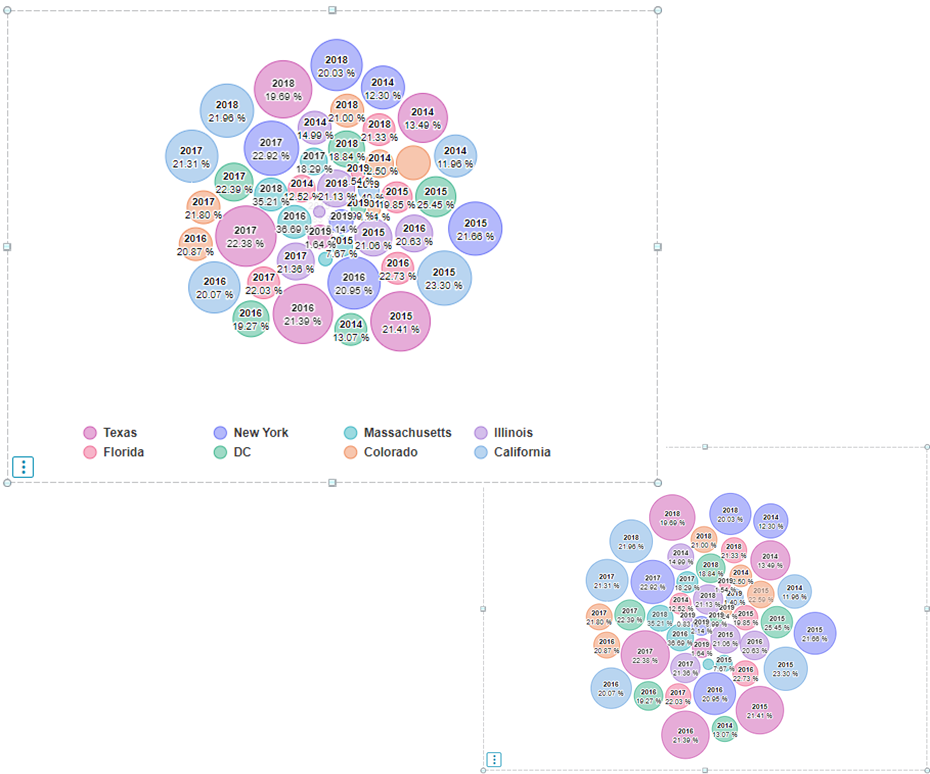
– The legend can now be hidden as an option
– Your charts are more readable than ever!
Bubble Chart and Gantt: major improvements
Improvements have been made to many charts. Special attention has been paid to the Bubble Chart and Gantt Diagrams…
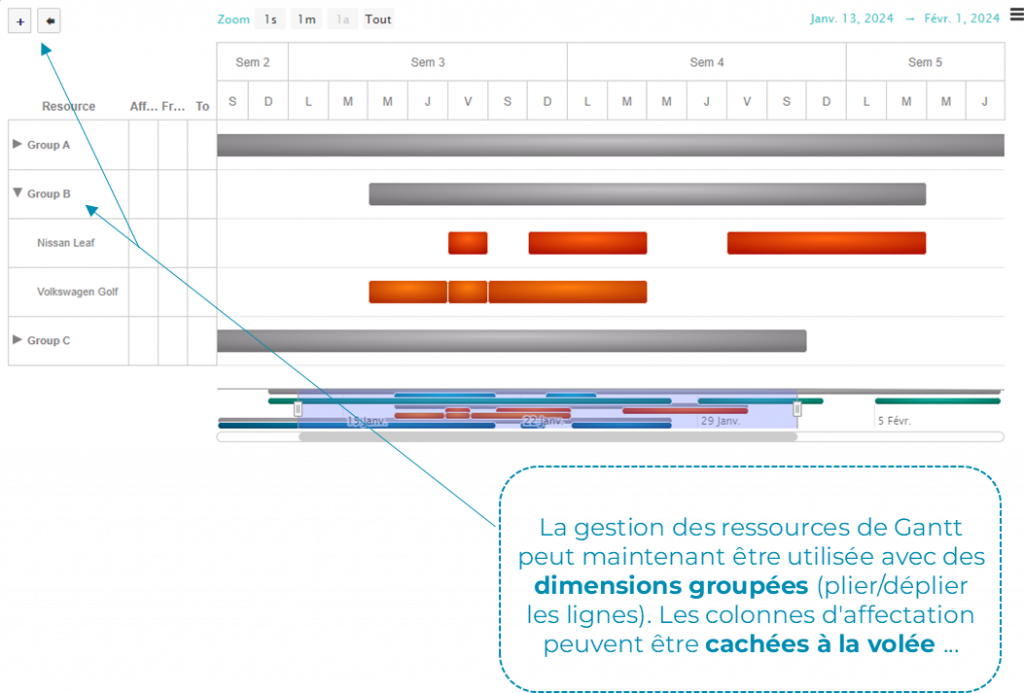
Gantt with grouped dimensions in SAP WebI
Gantt resource management can now be used with grouped dimensions (fold/unfold rows). Assignment columns can be hidden on the fly…
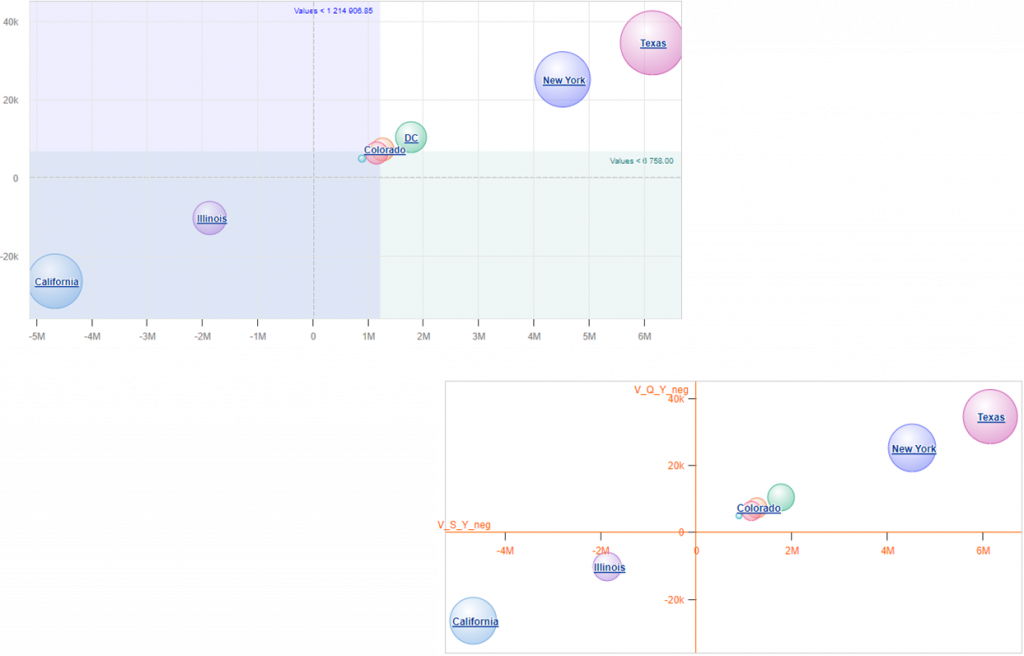
Advanced Bubble Chart in SAP WebI
– The third measure (size) is now optional
– Dynamic horizontal/vertical lines and ranges (min/max/avg…) can be displayed
– The axes of the bubble chart can now be centered on 0
Data Analyzer: write data from WebI to CSV
From this version, it is possible to save modified data from WebI to a CSV file and then integrate it wherever you want!
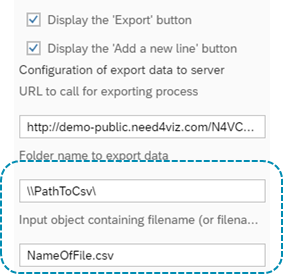
Step 1: Configure the Data Analyzer
Configure the Data Analyzer to enable the data write function.
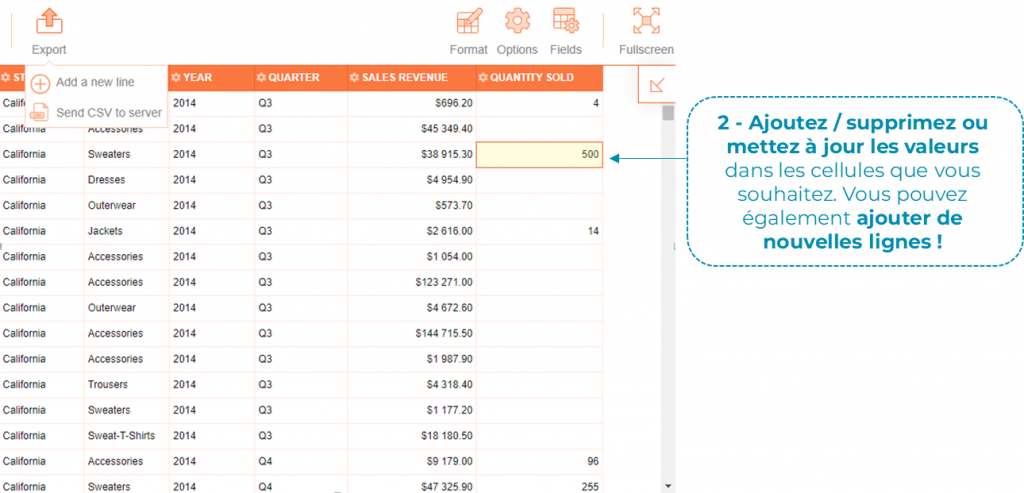
Step 2: Modify data
Add, delete or update values in the cells you want. You can also add new rows!
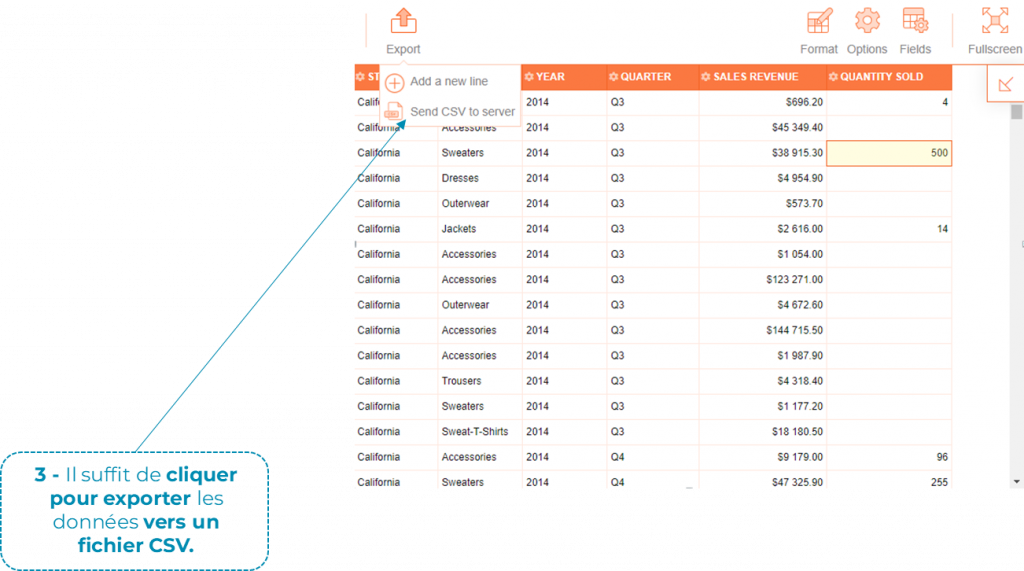
Step 3: Export to CSV
Simply click to export the data to a CSV file.
Step 4: Automatic integration
The CSV file is saved in the specified folder and can be sent to any destination (including database).
User HTML Export in SAP BI 4.3
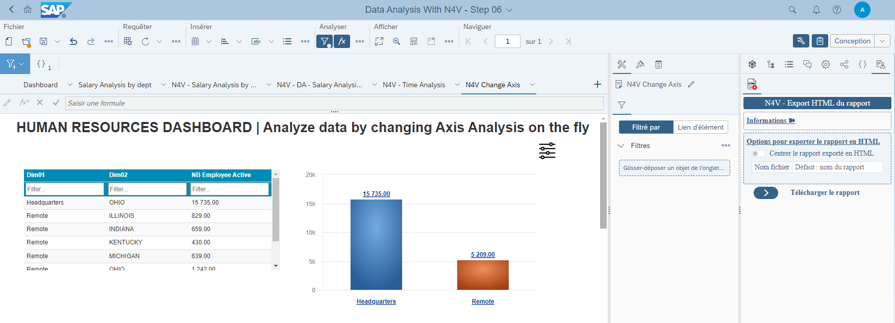
The beta version of N4V Webi Extension (for SAP BI 4.3 SP3+) is provided to help you export a one-page dashboard to HTML format (N4V elements embedded in HTML format with their data).
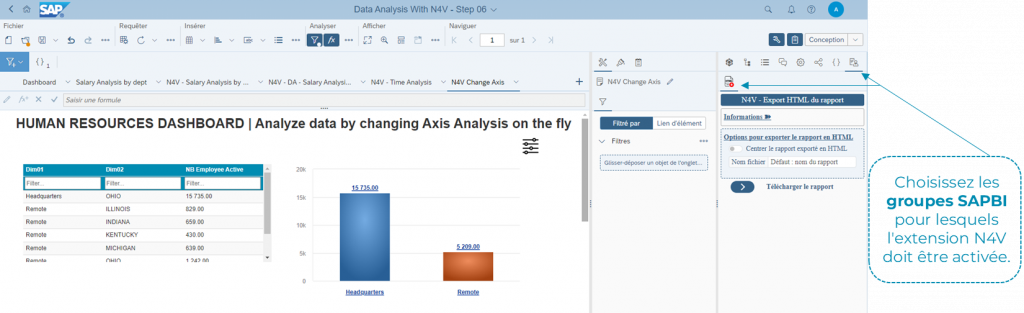
SAP BI groups configuration
Choose the SAP BI groups for which the N4V extension should be enabled.
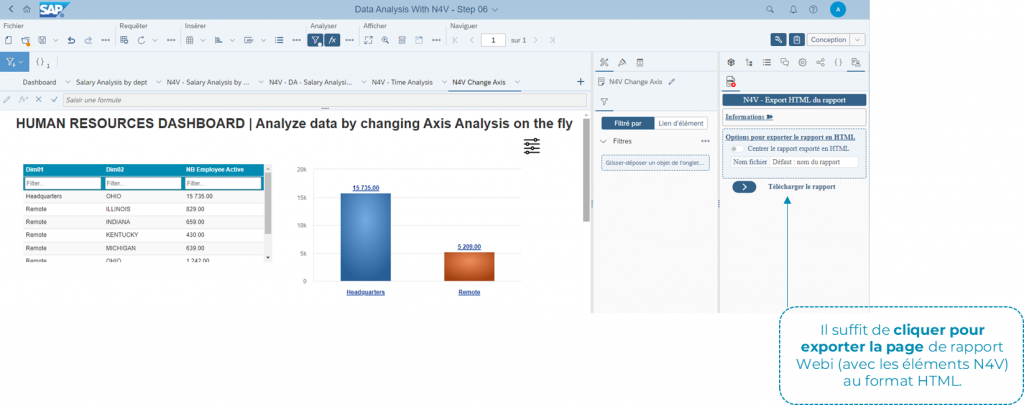
One-click HTML export
Simply click to export the page of the WebI report (with N4V elements) to HTML format.
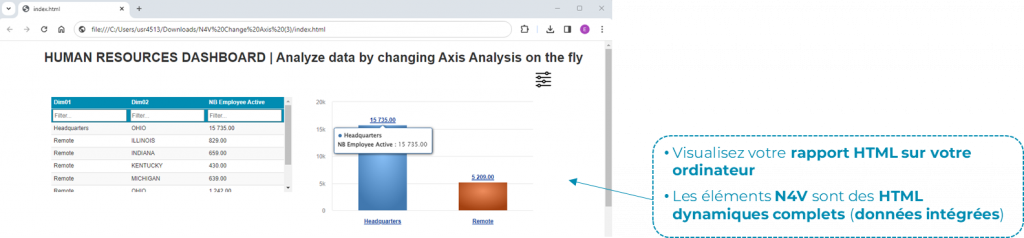
Dynamic HTML report
View your HTML report on your computer. The N4V elements are fully dynamic HTML (embedded data).
Full release notes
Check the Wiki for a complete report
N4V for WebI roadmap: 2 major releases in 2024
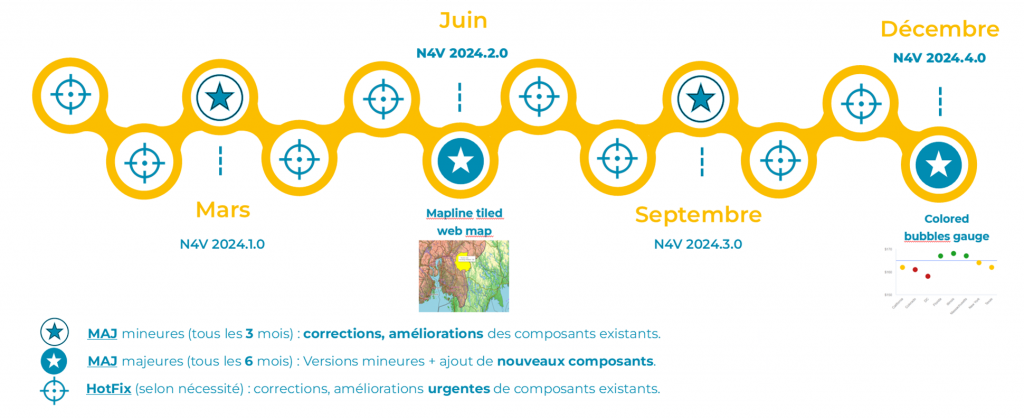
—
See N4V FOR WEBI in action
Need4Viz extends SAP Web Intelligence with advanced dataviz, interactivity, automation and AI capabilities to transform your reports into true decision-making tools.
👉 Discover Need4Viz and what we really bring to SAP Web Intelligence
Need4Viz extends SAP Web Intelligence with advanced dataviz, interactivity, automation and AI capabilities to transform your reports into real decision-making tools.
Discover Need4Viz